What to Do in the First 10 Days After OPT EAD

Receiving your OPT Employment Authorization Document (EAD) is a significant milestone for F-1 students, but the work does not stop there. This blog covers the critical steps you must complete in the first 10 days after receiving your EAD to protect your immigration status and maximize your OPT period.

Receiving your OPT Employment Authorization Document (EAD) is a significant milestone for F-1 students, but the work does not stop there. This blog covers the critical steps you must complete in the first 10 days after receiving your EAD to protect your immigration status and maximize your OPT period.

Quick Answer

The first 10 days after receiving your OPT EAD require immediate action on several fronts. You must verify all information on your EAD card is correct, activate your SEVP Portal account, update your contact information with your DSO, and begin or confirm employment if your OPT start date has passed. Reporting obligations begin immediately, and any errors on your EAD must be addressed with USCIS promptly. These early steps establish your compliance record and prevent problems that could jeopardize your status.

Key Takeaways

  • Verify your EAD card information (name, dates, category code) immediately upon receipt.

  • Activate your SEVP Portal account within the first few days to enable direct reporting.

  • Report your current U.S. address to your DSO if it has changed since your application.

  • Update your employer information if you have already started working or have a job offer.

  • The unemployment clock begins on your OPT start date, not when you receive the card.

  • Keep copies of your EAD and all supporting documents in multiple secure locations.

  • Contact your DSO immediately if any information on your EAD is incorrect.

Key Takeaways

  • Verify your EAD card information (name, dates, category code) immediately upon receipt.

  • Activate your SEVP Portal account within the first few days to enable direct reporting.

  • Report your current U.S. address to your DSO if it has changed since your application.

  • Update your employer information if you have already started working or have a job offer.

  • The unemployment clock begins on your OPT start date, not when you receive the card.

  • Keep copies of your EAD and all supporting documents in multiple secure locations.

  • Contact your DSO immediately if any information on your EAD is incorrect.

Table of Content

Why Are the First 10 Days So Important?

The first 10 days establish your compliance baseline for the entire OPT period. According to USCIS regulations, F-1 students must report changes to their DSO within 10 days of any update. Missing this window creates immediate compliance issues.

Your EAD card is your proof of work authorization, and errors on the card can prevent employment or create problems with background checks. Addressing issues early gives you time to request corrections before they affect your job prospects.

The SEVP Portal becomes your primary tool for reporting during OPT. Activating it promptly ensures you can meet reporting deadlines and maintain accurate records throughout your authorization period.

What Should You Check on Your EAD Card?

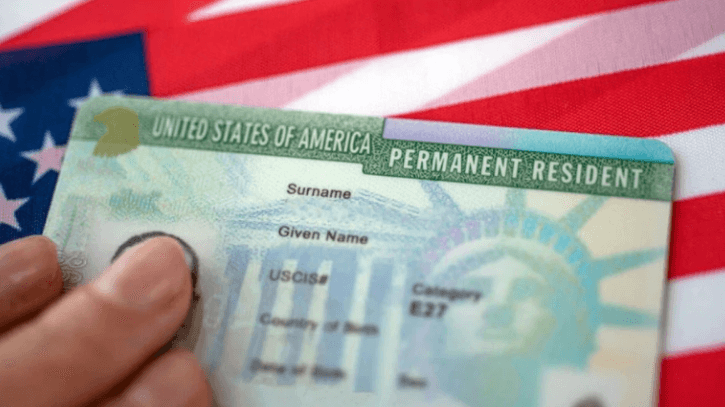
Examine every field on your EAD card carefully. Your name must match your passport exactly. The card category should show (c)(3)(B) for post-completion OPT or (c)(3)(C) for STEM OPT. Your validity dates must align with what USCIS approved.

Check that your USCIS number and card number are legible and correctly printed. The photograph should clearly show your face. Any smudges, printing errors, or incorrect information require immediate action.

If you find errors, file a service request through the USCIS Contact Center or submit Form I-90 with supporting evidence. Your DSO can guide you through the correction process.

How Do You Activate the SEVP Portal?

The SEVP Portal allows F-1 students on OPT to report employer information and address changes directly to SEVP. You must activate your account before you can use it.

Your DSO will send an activation email to the address in your SEVIS record. Click the link in this email and follow the prompts to create your account. If you do not receive the email within a few days of your OPT start date, contact your international student office.

The portal requires your SEVIS ID and personal information to verify your identity. Once activated, you can log in anytime to update your records or verify the information SEVP has on file.

What Can You Report Through the SEVP Portal?

The portal allows you to add, edit, or delete employer information including company name, address, and your start date. You can update your personal U.S. address and phone number. You can also view your current SEVIS record status.

Some changes still require DSO involvement. Changes to your program end date, transfers between schools, or corrections to biographical information must go through your DSO. The portal supplements but does not replace your relationship with your international student office.

What Employment Information Must Be Reported?

If you have accepted a job offer or started employment, you must report this information within 10 days. According to ICE requirements, your report must include your employer's name and address, your supervisor's name and contact information, your job title, and your employment start date.

You must also indicate whether the position is full-time or part-time and confirm the work is directly related to your field of study. This information validates that your employment qualifies under OPT rules.

If you have not yet found employment, you do not need to report this. However, be aware that your unemployment clock is already running from your OPT start date.

What If You Have Multiple Job Offers?

You may report multiple employers if you plan to work for more than one company simultaneously. Each employer must be reported separately with complete information. The combined hours should total at least 20 hours per week to count as qualifying employment.

If you are deciding between offers, you can wait until you make your final decision before reporting. However, once you begin work, you must report within 10 days. Do not wait until you have been employed for an extended period.

What Address Should You Report?

Report the U.S. address where you currently reside and can receive mail. This is a legal requirement under 8 CFR 214.2. Your address must be updated within 10 days of any move.

If you are temporarily staying with family or friends while apartment hunting, report that address. You can update it again once you establish permanent housing. Having an outdated address in your record creates compliance issues.

Use a physical street address, not a P.O. Box. Government agencies require a residential address for their records. Include apartment numbers and any other details needed for accurate mail delivery.

What If You Are Still at Your University Address?

If you have not moved since graduating, your university address may still be valid. However, verify with your international student office that this address remains acceptable. Some schools require graduates to update to non-university addresses after a certain period.

If you are relocating for work, report your new address as soon as you move. Do not wait until you have fully settled. The 10-day reporting window applies regardless of how temporary your situation feels.

How Do You Protect Your EAD Card?

Make copies of your EAD card immediately. Store digital copies in secure cloud storage and keep physical copies in a safe location separate from the original. Your EAD is difficult to replace quickly, and losing it can prevent you from working.

Carry your original EAD only when necessary, such as for I-9 employment verification. For day-to-day identification purposes, a copy may suffice depending on the situation. Ask your employer what documentation they require.

If your EAD is lost or stolen, file Form I-90 with USCIS immediately. You may also need to file a police report. Request expedited processing if you have a pending job offer that requires proof of work authorization.


Why Are the First 10 Days So Important?

The first 10 days establish your compliance baseline for the entire OPT period. According to USCIS regulations, F-1 students must report changes to their DSO within 10 days of any update. Missing this window creates immediate compliance issues.

Your EAD card is your proof of work authorization, and errors on the card can prevent employment or create problems with background checks. Addressing issues early gives you time to request corrections before they affect your job prospects.

The SEVP Portal becomes your primary tool for reporting during OPT. Activating it promptly ensures you can meet reporting deadlines and maintain accurate records throughout your authorization period.

What Should You Check on Your EAD Card?

Examine every field on your EAD card carefully. Your name must match your passport exactly. The card category should show (c)(3)(B) for post-completion OPT or (c)(3)(C) for STEM OPT. Your validity dates must align with what USCIS approved.

Check that your USCIS number and card number are legible and correctly printed. The photograph should clearly show your face. Any smudges, printing errors, or incorrect information require immediate action.

If you find errors, file a service request through the USCIS Contact Center or submit Form I-90 with supporting evidence. Your DSO can guide you through the correction process.

How Do You Activate the SEVP Portal?

The SEVP Portal allows F-1 students on OPT to report employer information and address changes directly to SEVP. You must activate your account before you can use it.

Your DSO will send an activation email to the address in your SEVIS record. Click the link in this email and follow the prompts to create your account. If you do not receive the email within a few days of your OPT start date, contact your international student office.

The portal requires your SEVIS ID and personal information to verify your identity. Once activated, you can log in anytime to update your records or verify the information SEVP has on file.

What Can You Report Through the SEVP Portal?

The portal allows you to add, edit, or delete employer information including company name, address, and your start date. You can update your personal U.S. address and phone number. You can also view your current SEVIS record status.

Some changes still require DSO involvement. Changes to your program end date, transfers between schools, or corrections to biographical information must go through your DSO. The portal supplements but does not replace your relationship with your international student office.

What Employment Information Must Be Reported?

If you have accepted a job offer or started employment, you must report this information within 10 days. According to ICE requirements, your report must include your employer's name and address, your supervisor's name and contact information, your job title, and your employment start date.

You must also indicate whether the position is full-time or part-time and confirm the work is directly related to your field of study. This information validates that your employment qualifies under OPT rules.

If you have not yet found employment, you do not need to report this. However, be aware that your unemployment clock is already running from your OPT start date.

What If You Have Multiple Job Offers?

You may report multiple employers if you plan to work for more than one company simultaneously. Each employer must be reported separately with complete information. The combined hours should total at least 20 hours per week to count as qualifying employment.

If you are deciding between offers, you can wait until you make your final decision before reporting. However, once you begin work, you must report within 10 days. Do not wait until you have been employed for an extended period.

What Address Should You Report?

Report the U.S. address where you currently reside and can receive mail. This is a legal requirement under 8 CFR 214.2. Your address must be updated within 10 days of any move.

If you are temporarily staying with family or friends while apartment hunting, report that address. You can update it again once you establish permanent housing. Having an outdated address in your record creates compliance issues.

Use a physical street address, not a P.O. Box. Government agencies require a residential address for their records. Include apartment numbers and any other details needed for accurate mail delivery.

What If You Are Still at Your University Address?

If you have not moved since graduating, your university address may still be valid. However, verify with your international student office that this address remains acceptable. Some schools require graduates to update to non-university addresses after a certain period.

If you are relocating for work, report your new address as soon as you move. Do not wait until you have fully settled. The 10-day reporting window applies regardless of how temporary your situation feels.

How Do You Protect Your EAD Card?

Make copies of your EAD card immediately. Store digital copies in secure cloud storage and keep physical copies in a safe location separate from the original. Your EAD is difficult to replace quickly, and losing it can prevent you from working.

Carry your original EAD only when necessary, such as for I-9 employment verification. For day-to-day identification purposes, a copy may suffice depending on the situation. Ask your employer what documentation they require.

If your EAD is lost or stolen, file Form I-90 with USCIS immediately. You may also need to file a police report. Request expedited processing if you have a pending job offer that requires proof of work authorization.

Frequently Asked Questions

What if my EAD arrives after my OPT start date?

Your unemployment clock begins on your OPT start date regardless of when you receive the card. You cannot work until you have the physical card in hand, but the days between your start date and card receipt count as unemployment.

What if my EAD arrives after my OPT start date?

Can I travel immediately after receiving my EAD?

Travel during OPT requires careful planning. You need your valid EAD, a valid passport, a valid F-1 visa, and either a job offer letter or proof of employment. Traveling while unemployed carries risks, and you should consult your DSO before making plans.

Can I travel immediately after receiving my EAD?

What if my DSO has not sent the SEVP Portal activation email?

Contact your international student office directly. They may need to update your email address in SEVIS or resend the activation link. Do not wait more than a few days past your OPT start date to follow up.

What if my DSO has not sent the SEVP Portal activation email?

Do I need to report if I am still job searching?

You do not need to report unemployment status, but you must keep your address current. Once you find employment, report it within 10 days of your start date.

Do I need to report if I am still job searching?

Share post